 SaveAllVid
Get your own videos back in their original quality
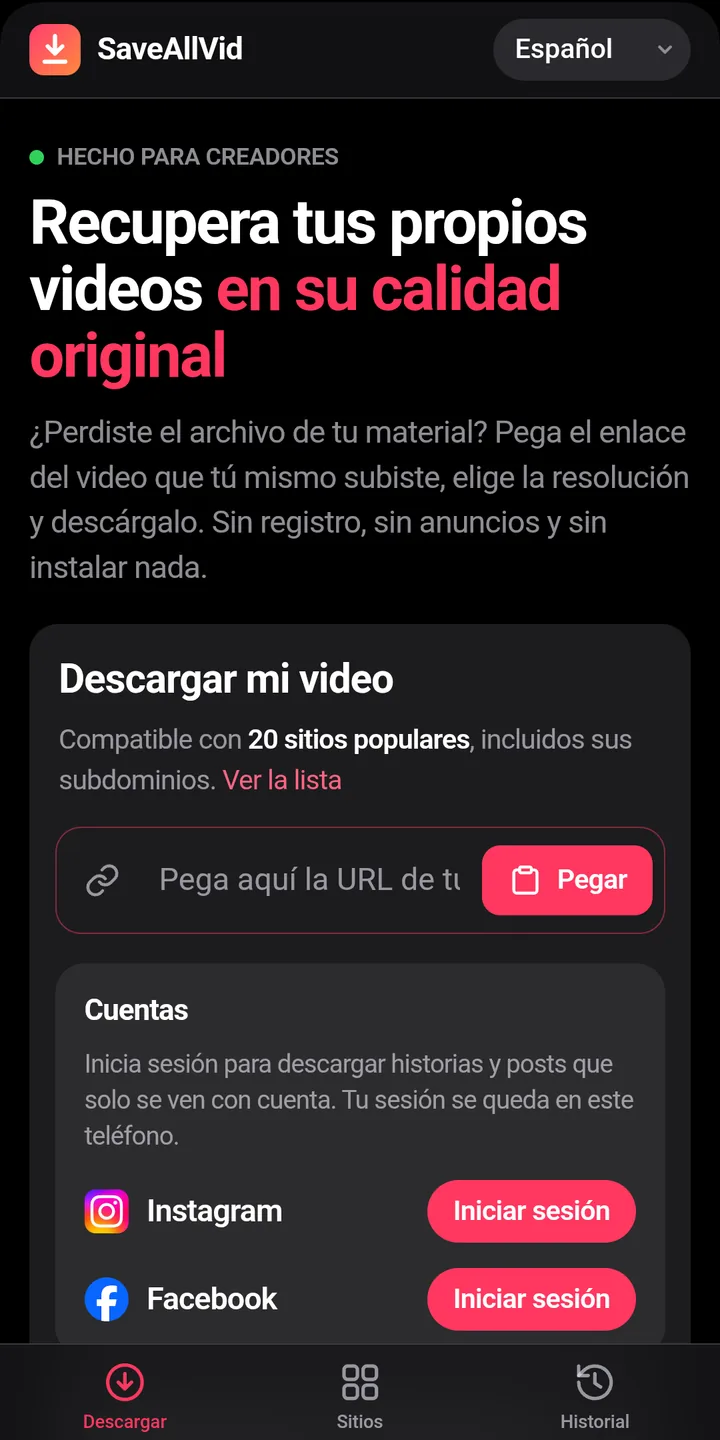
Lost the file of something you posted? Paste the link, pick the resolution and SaveAllVid saves it to your phone. The whole process happens on the device.
- No sign-up
- No ads
- No server in the middle
Features
One link, one file on your phone
Made for creators who need their own material back.
Everything is done on your phone
Downloading and converting happen on the device. There is no server in the middle, no queues and no size limits.
You choose the quality
Pick any available resolution, up to the video's original, before downloading.
Audio only
Extract the audio in high quality or convert it to MP3 when you don't need the picture.
From the Share menu
Share a link to SaveAllVid from any app and the download starts right there.
Tidy history
Videos, audio and photos kept separately, with shortcuts to open or share them.
Your accounts, on your phone
Sign in to a network to get back your private stories and posts. The session never leaves the device.
How it works
Three steps
Install the APK
Download it from saveallvid.net and open it. Android will ask you to allow installation from your browser.
Paste the link
Or share it to SaveAllVid from the social network's app. The site is detected automatically.
Choose and download
Video resolution or audio only. The file ends up in Downloads/SaveAllVid.
Inside the app
Simple on purpose
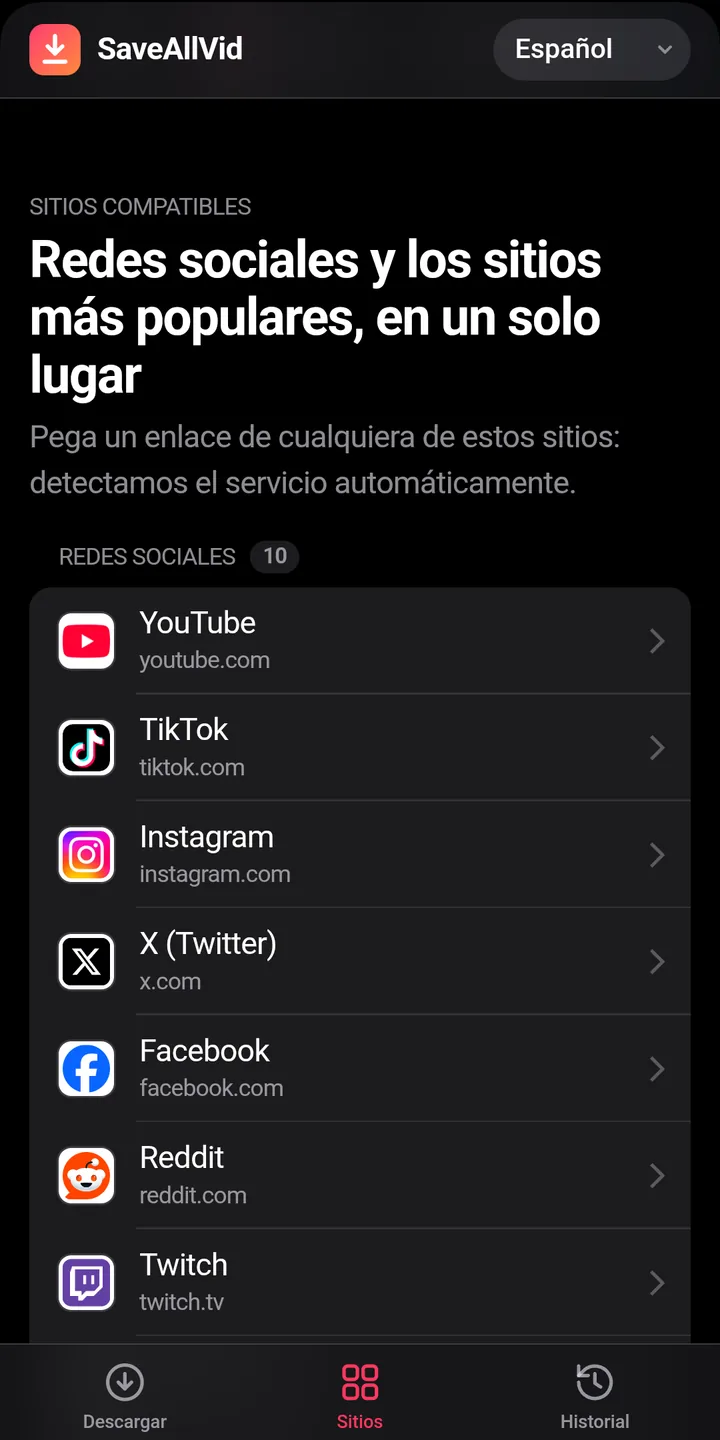
The app's interface is shown in Spanish in these screenshots.
What it's for
- Getting your posts back when you no longer have the original file.
- Reusing your material on another platform or in an edit.
- Keeping a copy of your content before closing an account.
- Pulling the audio out of one of your recordings.
Good to know
- It is only for people aged 18 and over, and for your own content or content you have its owner's permission for.
- It is not affiliated with any of the supported platforms; if one changes, downloading may fail until the next version.
- Downloading may go against the terms of use of some platforms: check them.
- It requires Android 10 or later on a 64-bit device.
- Tested on real devices running Android 13 and Android 16. It may behave differently on other versions.
Before you install it
Frequently asked questions about SaveAllVid
What exactly is it for?
For getting your own material back: videos you uploaded to a social network and no longer have the original file for, or content you have express permission from its owner to download.
Can I download other people's videos?
Only with their permission. The app asks you to accept that condition the first time you open it. Downloading someone else's content without permission may infringe copyright and the platform's terms, and that responsibility is yours.
Which sites does it work with?
Twenty: ten social networks and video platforms (YouTube, TikTok, Instagram, X, Facebook, Reddit, Twitch, Dailymotion, Pinterest and Snapchat) and ten adult sites. That is why the app is only for people aged 18 and over.
Why isn't it on Google Play?
It is distributed as an APK file from its official site, saveallvid.net. When you install it, Android will ask you to allow your browser to install apps. Updates are also published there.
Is there a web version?
Yes: at saveallvid.net you can download from the browser, with usage limits. The app does the same thing inside the phone and without those limits.
Where do the files end up?
In your phone's Downloads/SaveAllVid folder, split into videos and audio. “Remove” in the history only deletes the entry from the list, not the file.
Why does it take 72 MB?
Because it carries everything it needs to work without a server: a Python interpreter, yt-dlp and FFmpeg.
A link stopped working. What happened?
Platforms change often and can break downloading until the app is updated. Check saveallvid.net to see whether there is a new version.
What data does it collect?
None leaves for the developer. The history, the files and the sessions you start are stored only on your phone.
Download SaveAllVid
Free, with no sign-up and no ads. It includes free software: yt-dlp and FFmpeg. Independent project, not affiliated with any platform.
Download APK (72 MB)The download, the updates, the privacy policy and the terms of use are at saveallvid.net.
Version 1.2.3 · Android 10 or later, 64-bit · SHA-256: 4316ba754bb5b923f95eae0d6efc0504070c3d50a60480911626767fc7f4fb29
SaveAllVid at a glance
- What it is
- App for getting your own videos posted on social networks back onto your phone
- Version
- 1.2.3
- Download size
- 72 MB
- Requirements
- Android 10 or later, 64-bit device
- Age
- Only for people aged 18 and over
- Price
- Free, no sign-up and no ads
- Distribution
- APK from its official site, saveallvid.net; not on Google Play
- Bundled free software
- yt-dlp and FFmpeg
- Data collected
- None; files, history and sessions stay on the phone
- Developer
- GNApps (Mexico). Not affiliated with any platform