 PanelHost
Your Android, turned into a web server
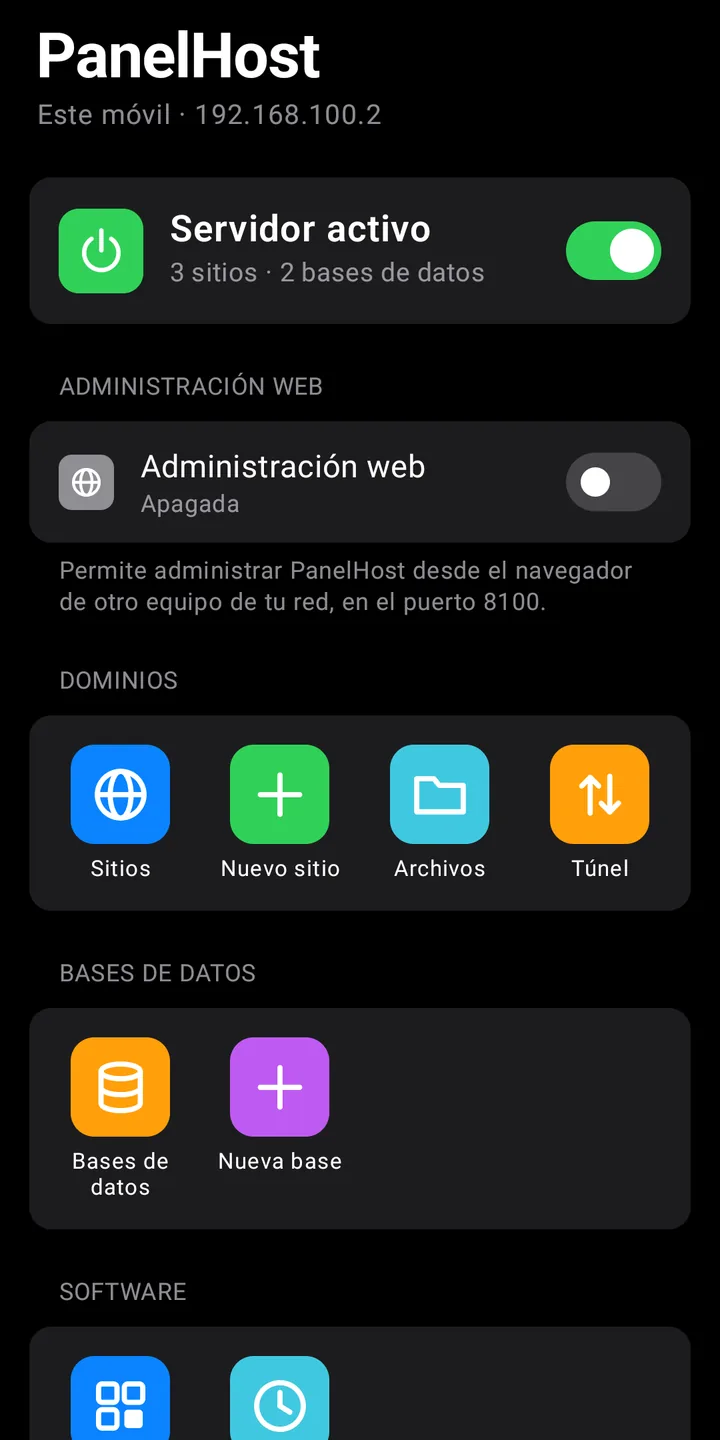
PanelHost brings nginx, Apache, PHP and MariaDB together in a single app. You create a site in seconds and manage it from your phone or from your computer.
- No root
- No ads, no accounts
- Nothing else to download
Features
What a hosting panel offers, in your pocket
Everything ships inside the app and only turns on when you decide.
nginx or Apache, your choice
Each site uses the web server you prefer, with .htaccess support on Apache.
PHP 8.5 with caching
PHP-FPM with opcache enabled and the usual extensions: MySQL, cURL, images, ZIP and intl.
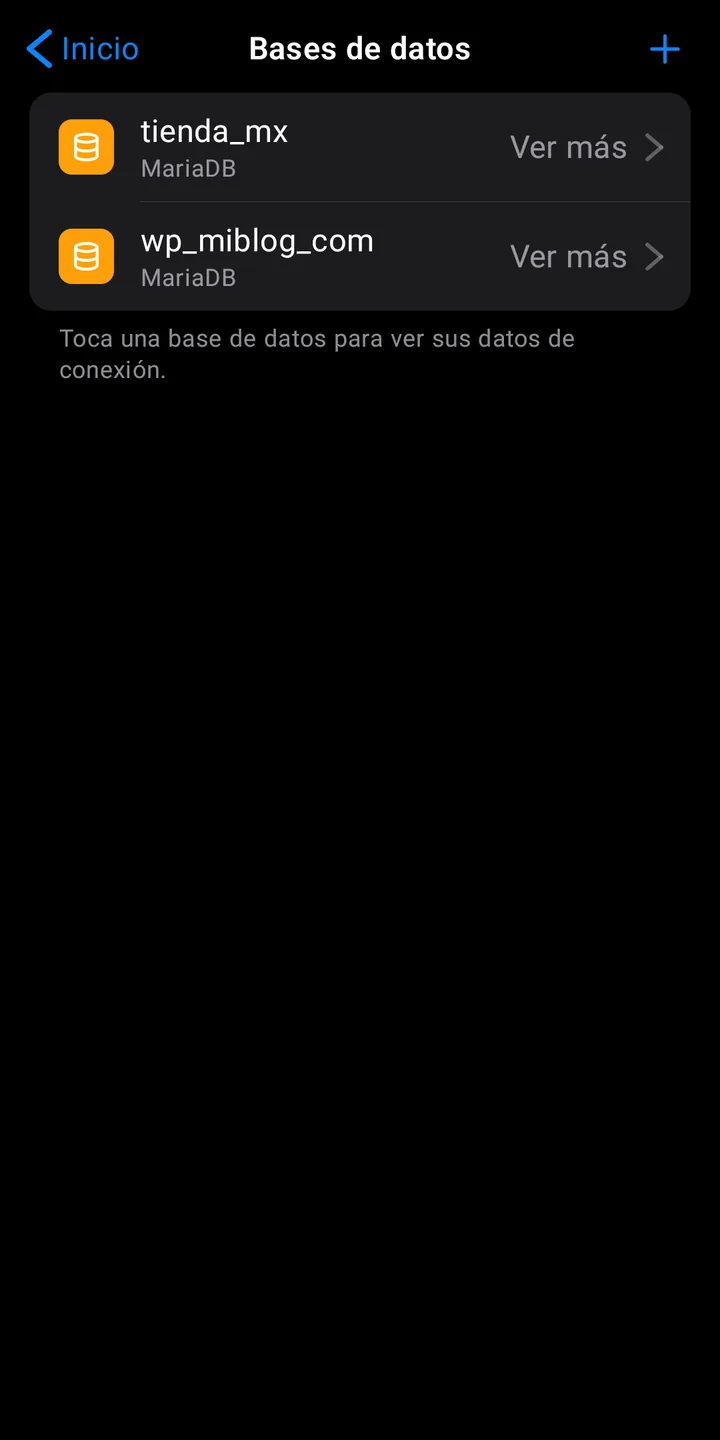
Databases with phpMyAdmin
MariaDB, compatible with MySQL. Each database has its own user, and you can open them in the browser with phpMyAdmin.
SFTP per site
Upload files from your computer with an account that only sees its own site's folder.
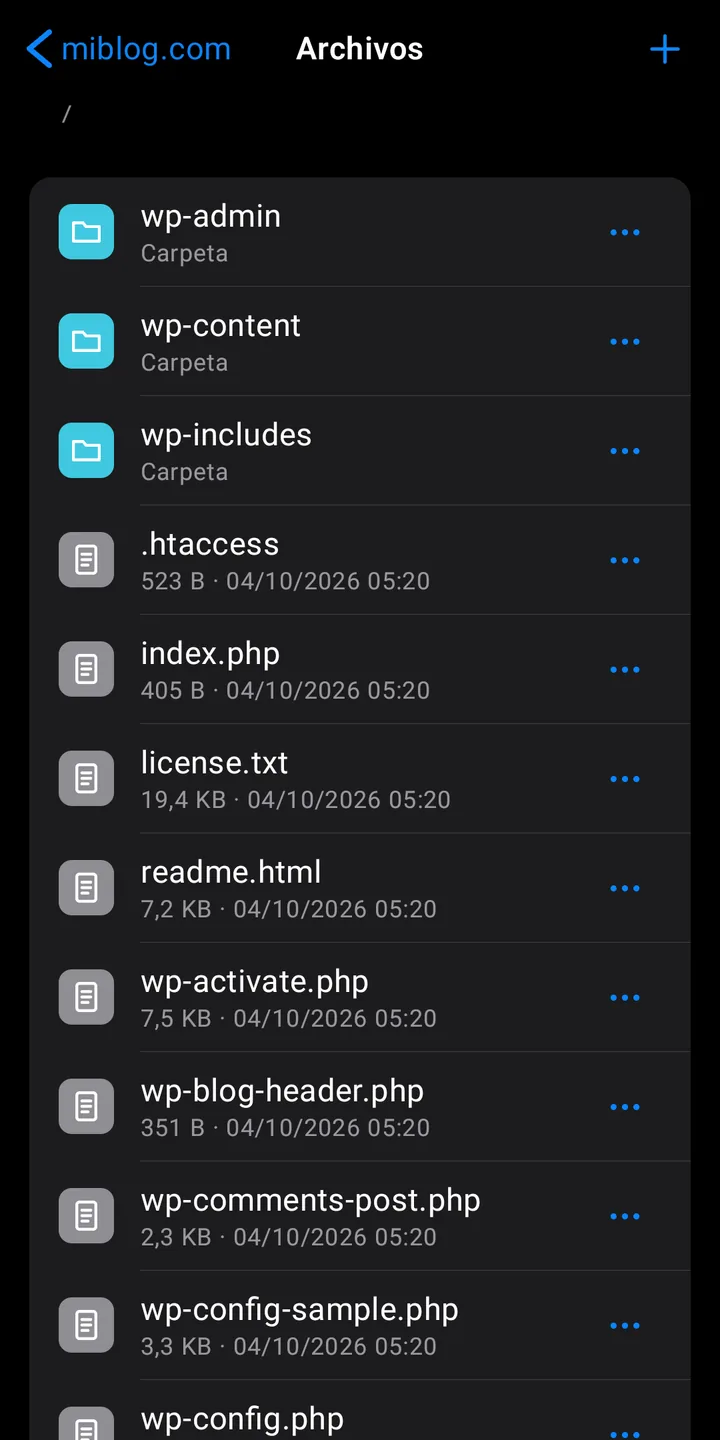
File manager
Upload, edit, rename, download and unzip files without leaving the app.
One-tap WordPress
It downloads the latest version, creates its database and leaves the site ready to set up.
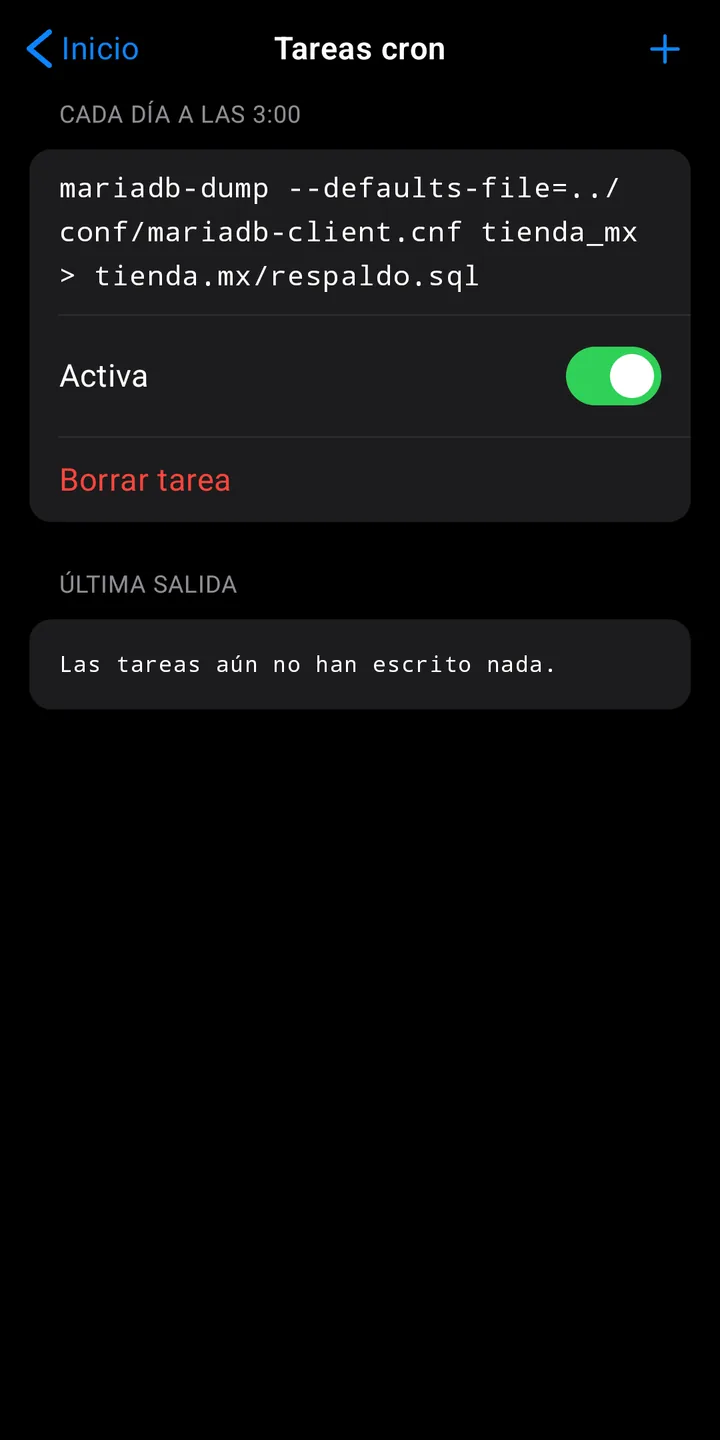
Scheduled tasks
Run commands on cron-style schedules: backups, PHP scripts or web requests.
Public link with HTTPS
Publish a site on the internet through a Cloudflare tunnel, without opening ports on your router.
Manage it from the browser
Run everything from your computer. You sign in by scanning a QR code with the app.
How it works
From zero to a live site in three steps
Set up and switch on
The engine ships inside the app. It is set up in seconds and turns on with a switch.
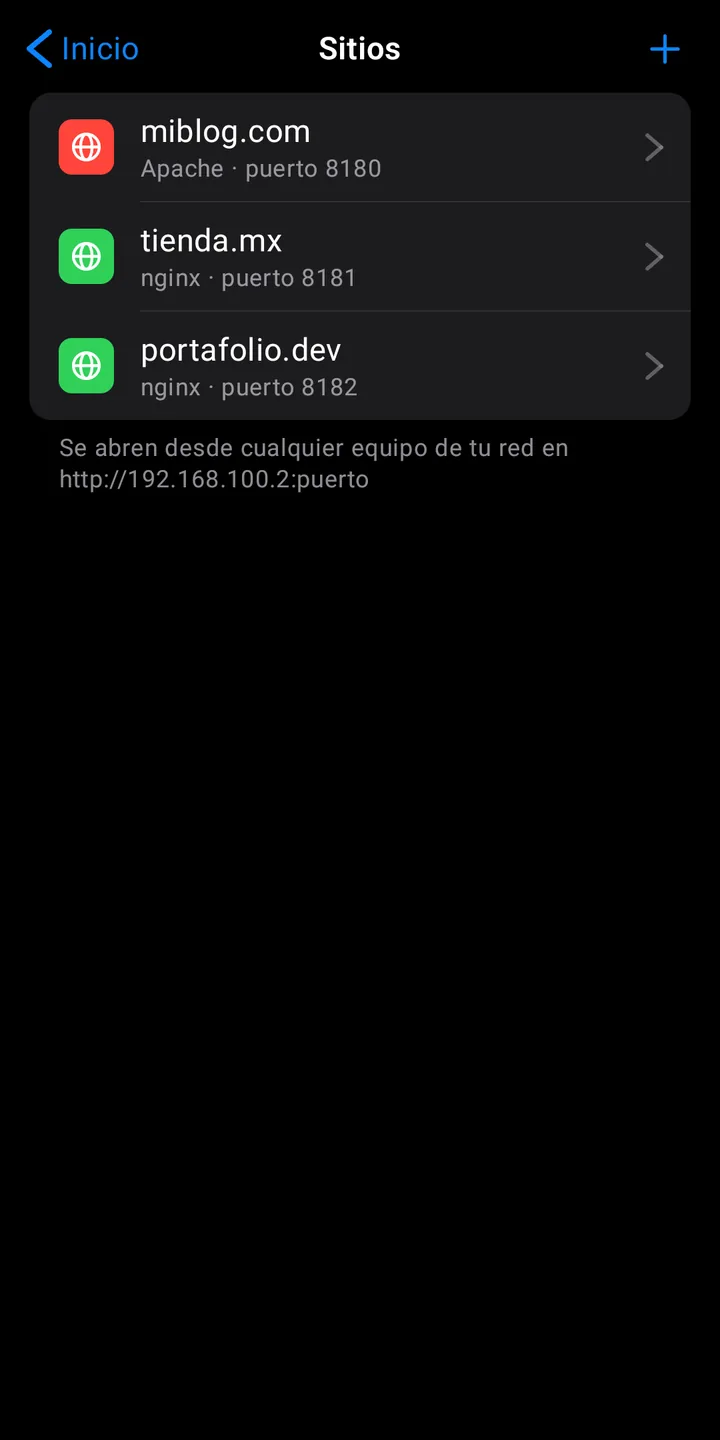
Create your site
Choose a name, a port and a web server. With WordPress already installed, if you like.
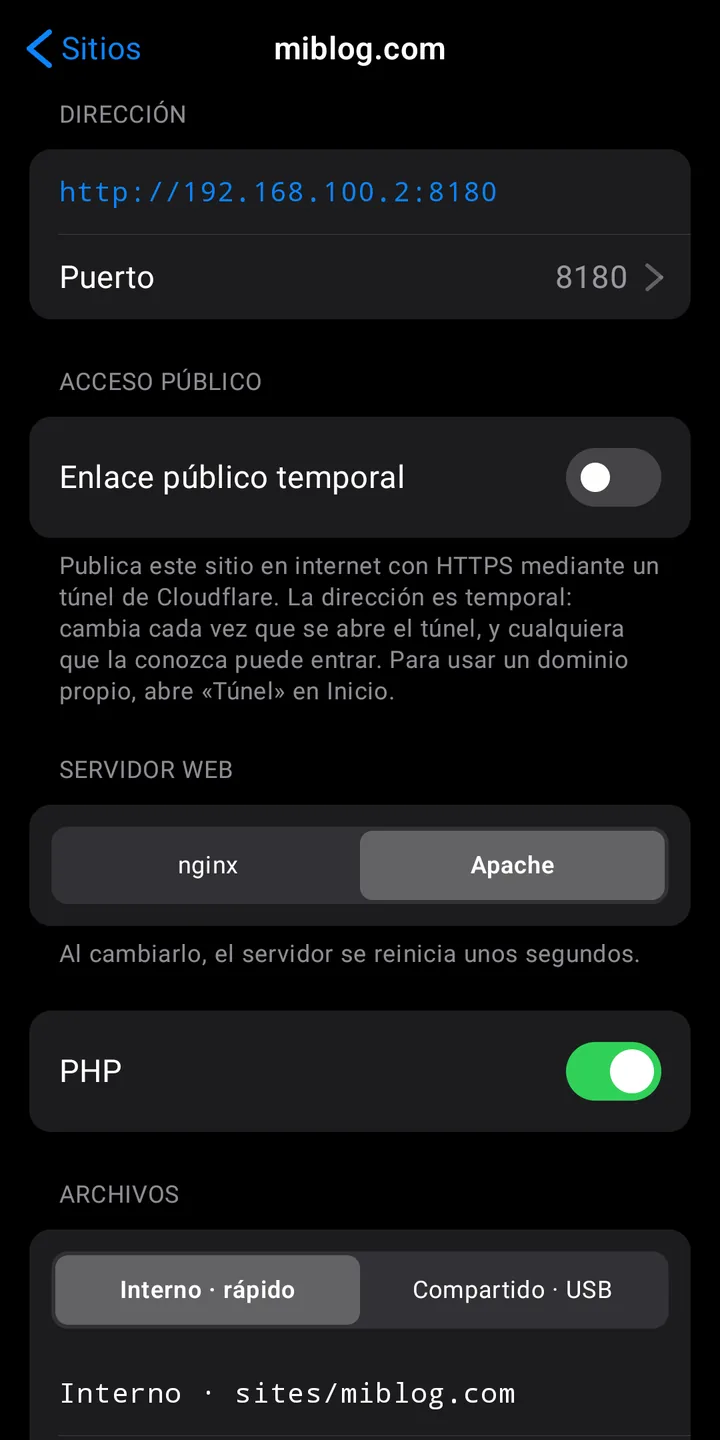
Open it anywhere
From any device on your Wi-Fi, or from the internet with a public link.
Inside the app
Files, databases and tasks
The app's interface is shown in Spanish in these screenshots.
What it's for
- Reusing an old phone as a home server.
- Developing and testing PHP sites without paying for hosting.
- Teaching or learning how a web server works.
- Showing a project to a client with a temporary link.
Good to know
- Sites use ports like 8080; Android reserves 80 and 443.
- It is for personal projects and small sites, not for production.
- Temporary links are a Cloudflare service with no availability guarantee.
- Tested on real devices running Android 13 and Android 16. It may behave differently on other versions.
Before you install it
Frequently asked questions about PanelHost
Do I need root?
No. PanelHost works on an unmodified Android device. Every server ships inside the app and nothing else is downloaded.
Why do my sites use ports like 8080?
Android doesn't let an app use ports 80 and 443 without root. Each site is served on its own port inside your network; for a regular address with HTTPS, turn on a public link.
Can I use my own domain?
Yes, with a Cloudflare tunnel: you need a Cloudflare account and a domain managed there. Without a domain you can also publish a site with a temporary link, which changes every time the tunnel is opened.
Is it suitable for a production site?
It is meant for personal projects, testing and small sites. A phone is no substitute for a dedicated server: it depends on your Wi-Fi, on the battery and on Android not stopping the app.
Does it keep working with the screen off?
Yes. The server runs as a service with a persistent notification. It's a good idea to exclude PanelHost from your phone's battery optimization, and the app takes you to that setting.
Which devices does it run on, and how much space does it take?
On 64-bit (arm64) phones and tablets running Android 8 or later. With the engine set up it takes about 400 MB, plus whatever your sites and databases use.
What data does it collect?
None. There are no accounts, ads or analytics, and the app sends nothing to the developer. It only connects to the internet if you install WordPress or turn on a tunnel.
Should I download the APK here or wait for Google Play?
It's the same app. The APK on this page is installed by hand and doesn't update itself: new versions are published here. If you later want to switch to the Google Play version, Android may ask you to uninstall the web version first, and uninstalling deletes your sites and databases; make a backup beforehand.
Download PanelHost
Free, with no ads and no accounts. It includes free software: nginx, Apache, PHP, MariaDB, phpMyAdmin, curl and cloudflared.
Download APK (97 MB)Coming soon to Google Play as well.
Version 1.0.0 · SHA-256: a8edbc0508a6c9ed3921d6a8e392d90c8fe8dfcfe73dbdba691923fb8aeaddce
PanelHost at a glance
- What it is
- Web server for Android: nginx or Apache, PHP 8.5, MariaDB, phpMyAdmin, SFTP and WordPress
- Version
- 1.0.0
- Download size
- 97 MB (about 400 MB once the engine is set up)
- Requirements
- Android 8 or later, 64-bit (arm64) device. No root needed
- Price
- Free, no ads and no accounts
- Distribution
- Direct APK download at gnapps.com.mx; coming soon to Google Play
- Data collected
- None
- Developer
- GNApps (Mexico)