 AGHome Local
A DNS filter that lives on your phone
AGHome Local runs AdGuard Home inside your Android. It blocks malicious domains, encrypts your DNS queries and shows you where your apps connect, without sending your browsing to any server in the middle.
- No root
- No ads, no accounts
- Free software inside
Features
Control over your phone's DNS
Every time an app opens an address, it first asks where it is. AGHome Local answers those questions and decides which ones should not be resolved.
Everything happens on your phone
The filter runs inside the app. Your browsing doesn't go through GNApps servers or through any remote VPN.
Blocks dangerous domains
It comes with malware, phishing and scam-site lists that update themselves every day.
Encrypted DNS queries
Queries go out over DNS over HTTPS, so your internet provider can't read them. You choose the server.
See where your apps connect
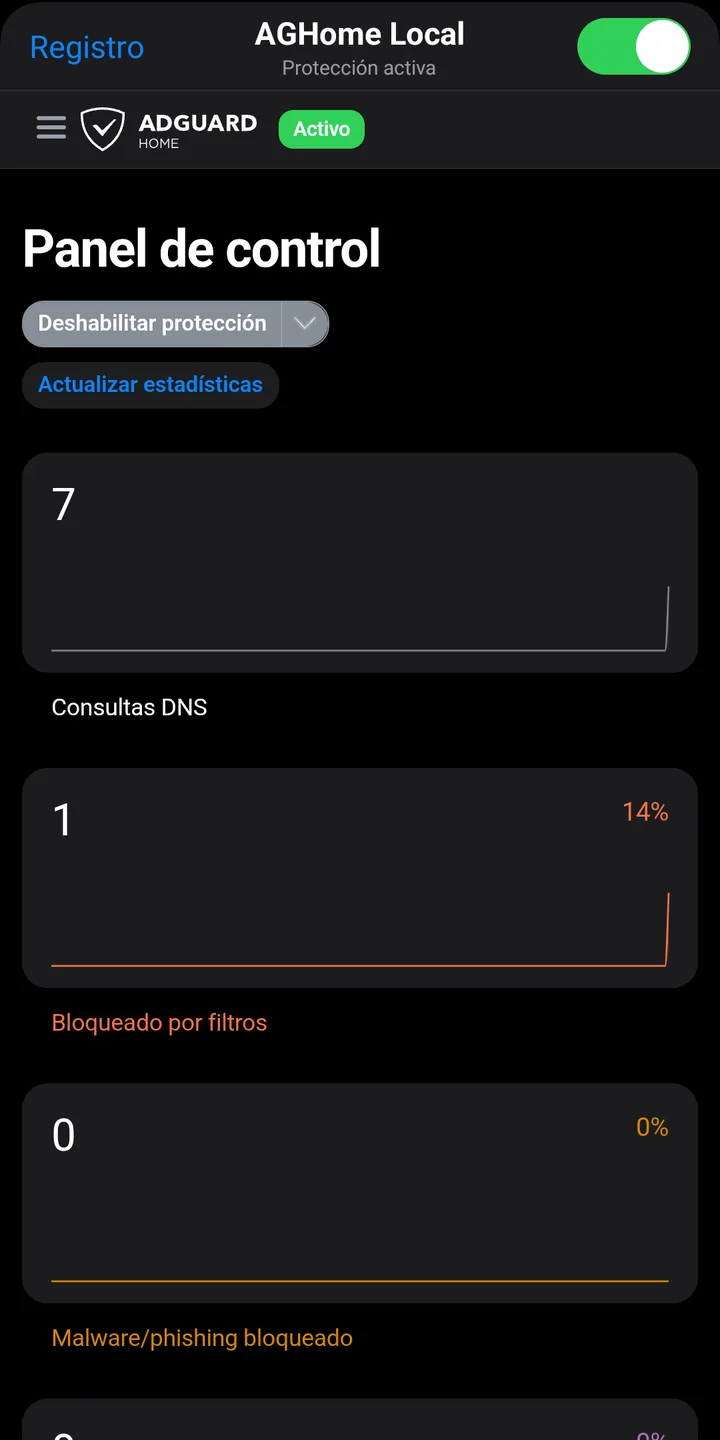
Query log and statistics: which domains are requested, how many are blocked and which are the most frequent.
Your lists and your rules
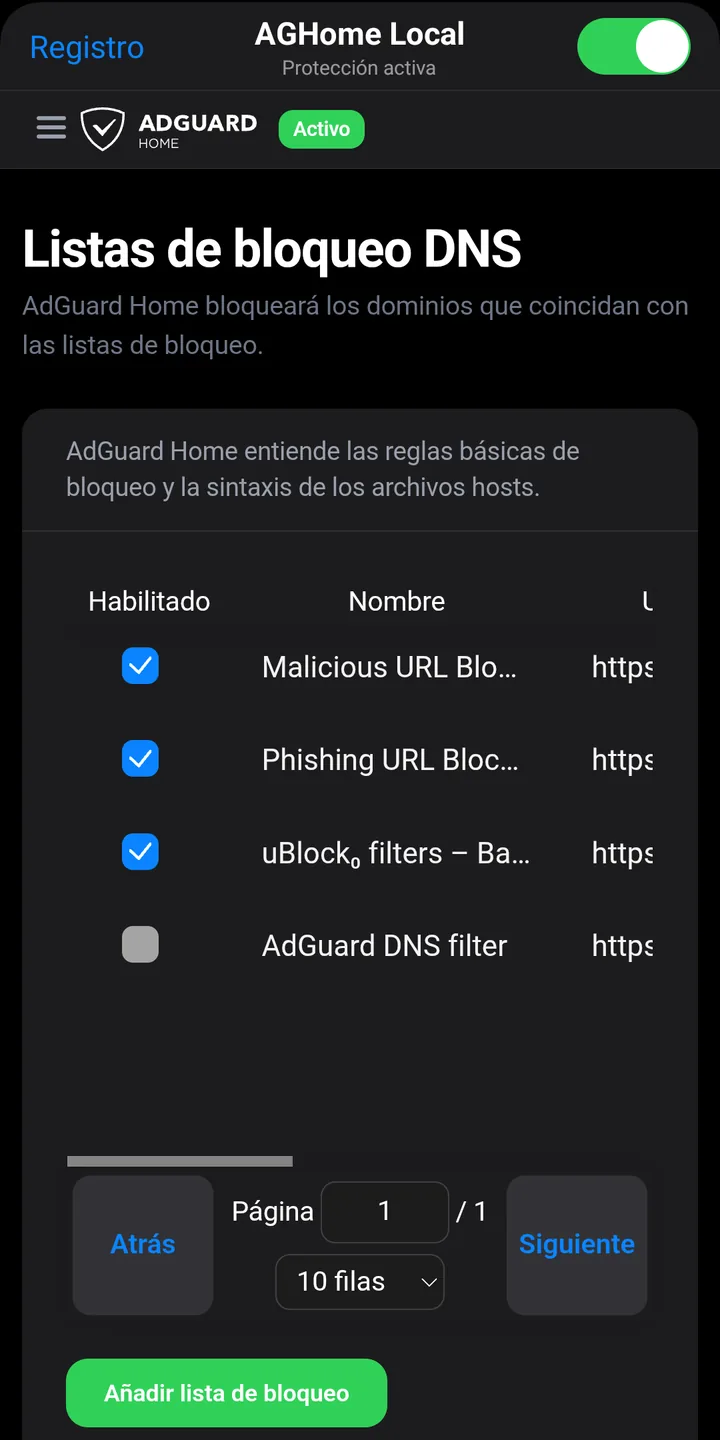
Add or remove blocklists, allow or block specific domains and write your own custom rules.
The full AdGuard Home dashboard
It includes the complete AdGuard Home dashboard: safe search, blocked services, DNS rewrites and more.
How it works
Three steps and it's on
After that, from the dashboard you choose lists, DNS servers and rules, and review the query log.
Install the APK
Download it from this page and open it. Android will ask you to allow installation from your browser.
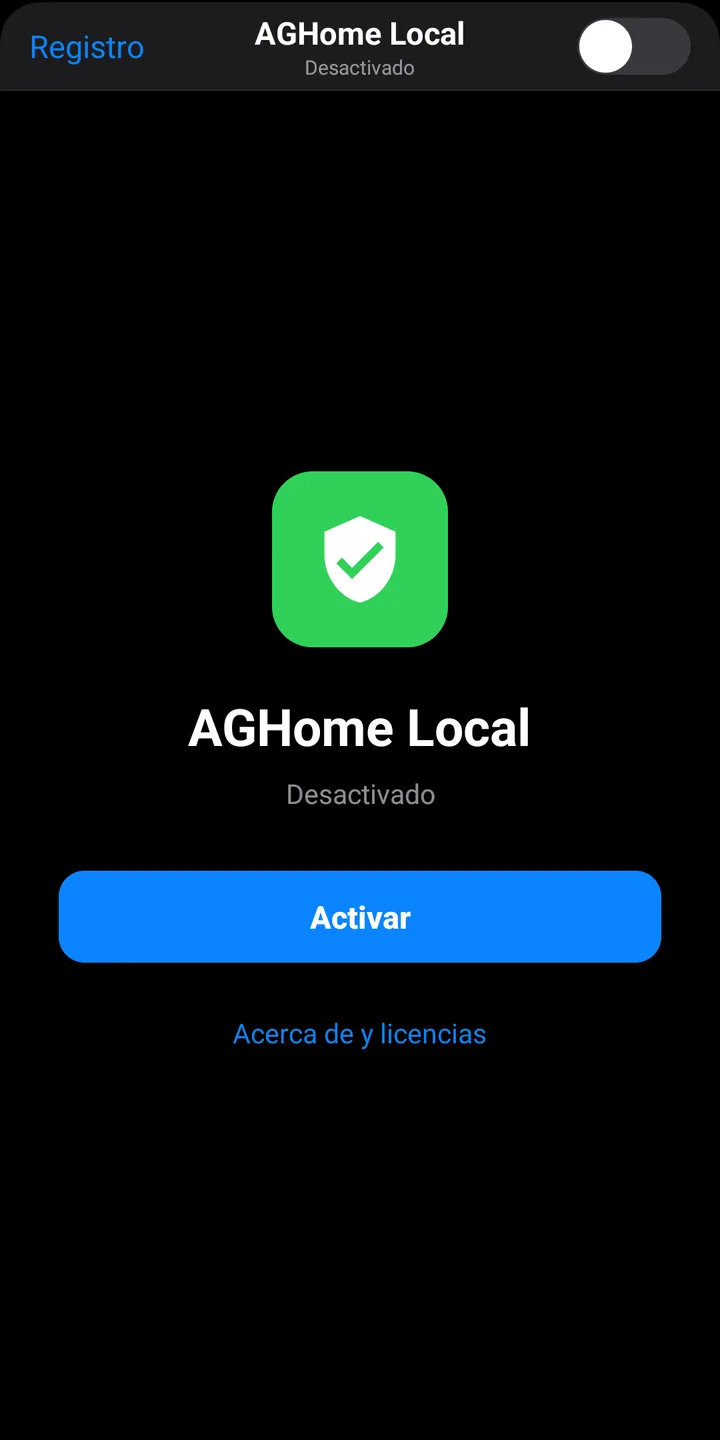
Tap Activate
Android will ask for permission to create a VPN. It is local: it only serves to deliver DNS queries to the app.
Turn off Private DNS
In Android's network settings, so the system uses the filter and not another server.
Inside the app
One switch and one dashboard
The app's interface is shown in Spanish in these screenshots.
What happens to your queries
- They are answered on your phone. The VPN only routes the DNS server's address; nothing else goes through it.
- What is blocked never leaves. A domain on your lists is rejected without asking anyone.
- Everything else travels encrypted to the DNS server you choose. The default is Quad9, over DNS over HTTPS.
- The log is yours. It is stored on the device and you clear it whenever you want.
Good to know
- It takes Android's VPN slot: it can't be used at the same time as another VPN.
- It filters by domain name. It can't block content that an app serves from the same domain as the rest of its content.
- Apps with their own encrypted DNS bypass the filter.
- The dashboard has no password: other apps installed on the same phone could open it.
- Tested on real devices running Android 13 and Android 16. It may behave differently on other versions.
Before you install it
Frequently asked questions about AGHome Local
Why isn't it on Google Play?
AGHome Local is distributed only from this page, as an APK file. When you install it, Android will ask you to allow your browser to install apps; that is the normal prompt for any app that doesn't come from a store. Updates are also published here: the app doesn't update itself.
Do I need root?
No. AGHome Local uses Android's VPN feature to receive the phone's DNS queries and answer them on the device itself.
Is it a VPN? Does it hide my IP?
It is not the kind of VPN that changes your location. Android shows it as a VPN because that is the only way to filter DNS without root, but only DNS queries go through it; the rest of your traffic leaves through your normal connection, with your usual IP.
How is it related to AdGuard?
There is no commercial relationship. AGHome Local includes AdGuard Home, a free software program published by AdGuard under the GPL-3.0 license, and adds what is needed for it to run on a phone without root. It is an independent project, with no affiliation with or endorsement from AdGuard.
Why does it ask me to turn off “Private DNS”?
If Android's Private DNS is on, the system sends queries straight to that server and the filter never sees them. You turn it off in Settings → Network & internet → Private DNS.
Can I use it together with another VPN?
No. Android only allows one active VPN at a time.
Are there apps that bypass the filter?
Yes: those that bring their own encrypted DNS, such as a browser with “Secure DNS” turned on. In that case, turn that option off inside the app.
How much battery does it use?
Very little: it only works when an app makes a DNS query. To keep Android from stopping it, exclude it from battery optimization and turn on “Always-on VPN”.
What data does it collect?
None leaves for the developer. The query log is stored only on your phone and you can clear it or turn it off from the dashboard.
Download AGHome Local
Free, with no ads and no accounts. It includes AdGuard Home, free software under the GPL-3.0 license. Independent project, not affiliated with AdGuard.
Download APK (12 MB)Version 1.0.0 · Android 8 or later, 64-bit · SHA-256: 2482e5cca6a8facfe414208efcf19ea468687c58535a7e38199ed4d347582d5a
AGHome Local at a glance
- What it is
- Local DNS filter for Android based on AdGuard Home, with DNS over HTTPS
- Version
- 1.0.0
- Download size
- 12 MB
- Requirements
- Android 8 or later, 64-bit device. No root needed
- Price
- Free, no ads and no accounts
- Distribution
- Direct APK download at gnapps.com.mx; not on Google Play
- Engine license
- AdGuard Home, free software under GPL-3.0. Project not affiliated with AdGuard
- Data collected
- None; the query log stays on the phone
- Developer
- GNApps (Mexico)